AccessYes
An accessibility menu for Shopify storefronts that remembers what each visitor needs.
- Built at
- RedCircle
- Role
- Lead engineer
- Timeline
- 2025 to present
- Stack
- React, React Router, Astro, Hono, Shopify App Extensions
Accessibility overlays have a bad reputation and have earned it: most are a widget that announces itself loudly, changes very little, and is sold as legal cover. The useful version is narrower. Give the visitor controls over the things that actually stop them shopping, make them work, and keep their choice.
The problem
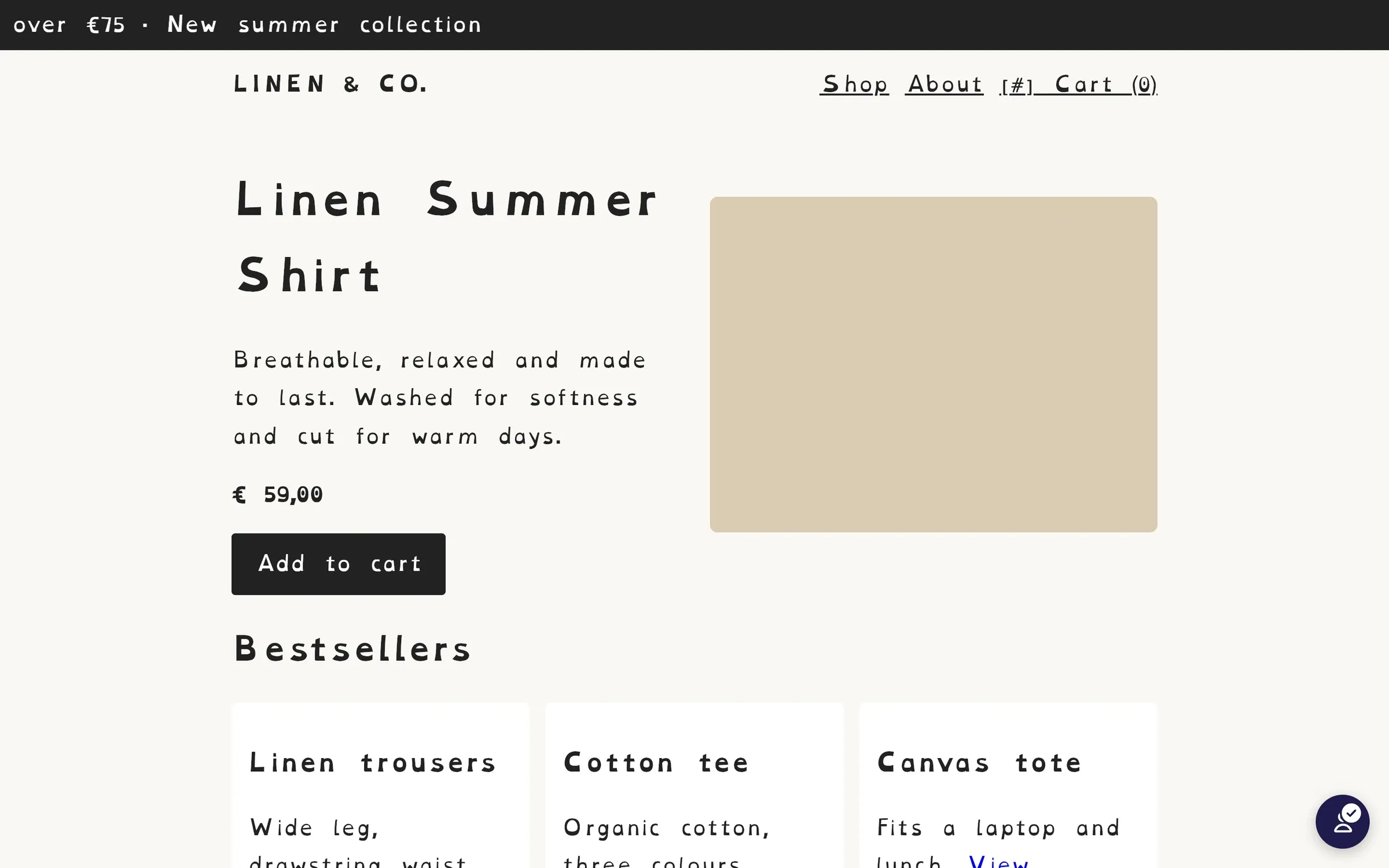
A storefront that is hard to read is not hard to read in one way. One visitor needs larger text, another a dyslexia-friendly face, another raised contrast, another the page read aloud. A single “accessible mode” serves none of them well. And a setting that resets on the next product page is not an accommodation, it is a demo.
Profiles for the common cases, controls for the rest
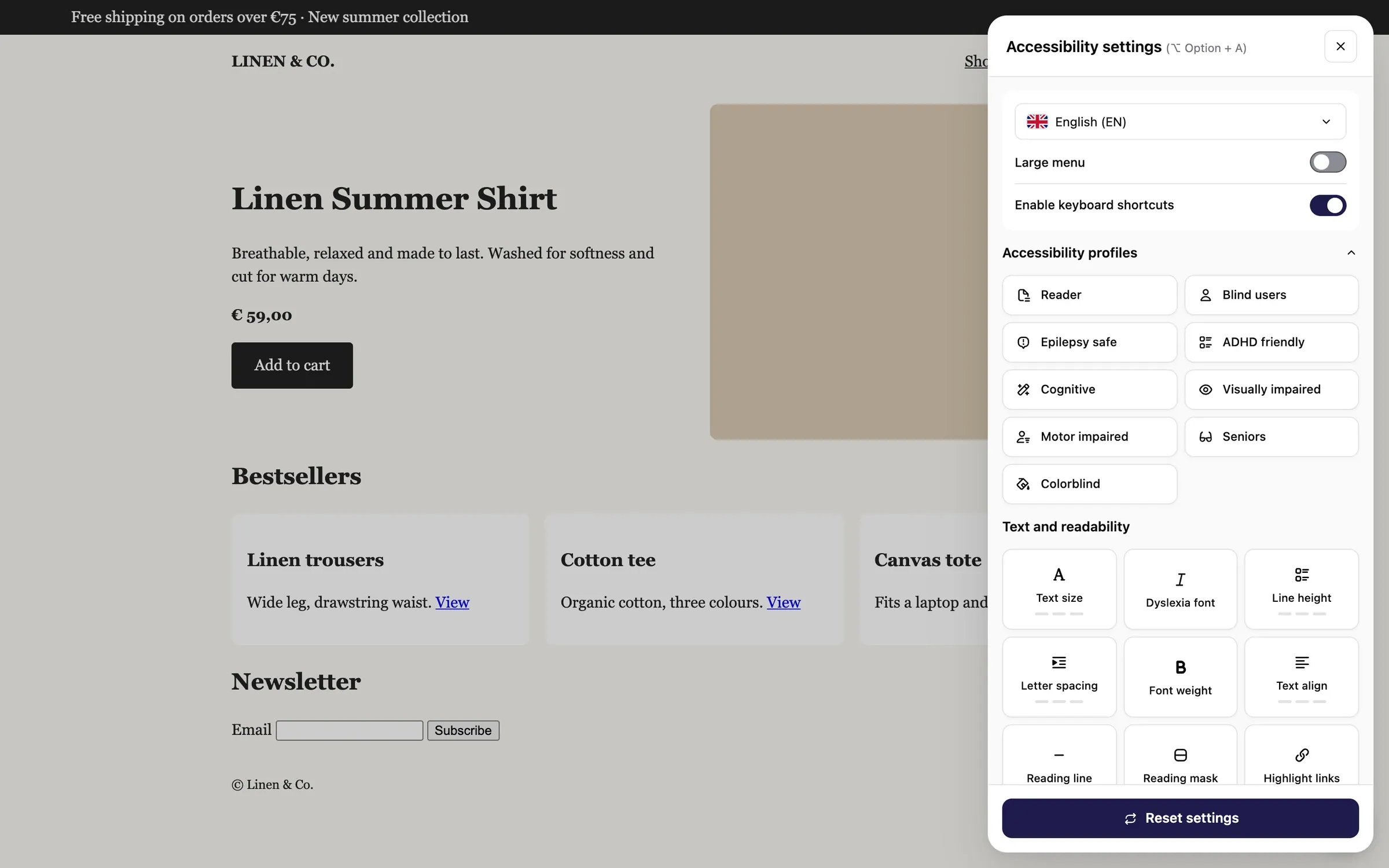
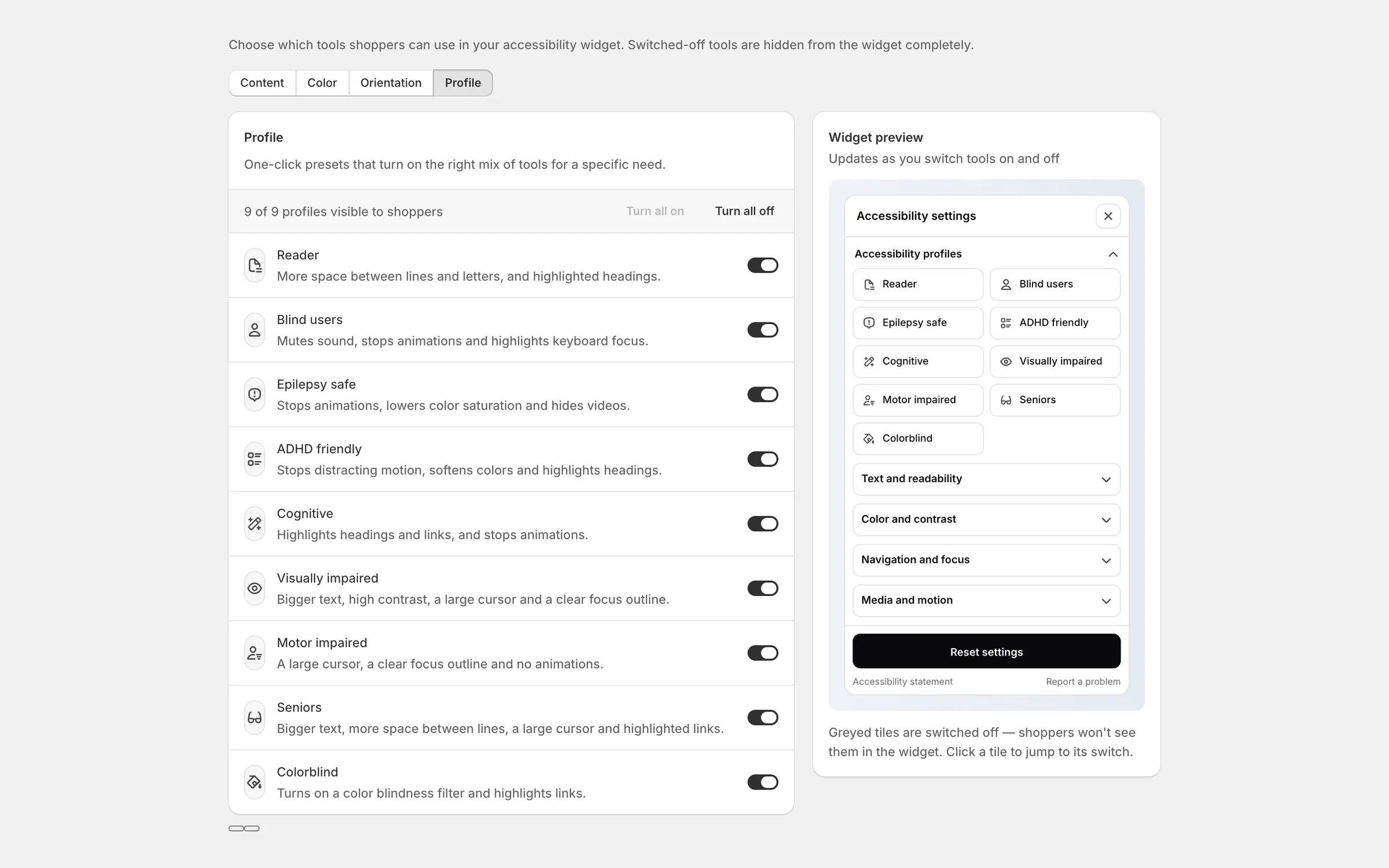
Most visitors do not want to assemble an accommodation from twelve switches, so there are profiles — reader, blind users, epilepsy safe, ADHD friendly, cognitive, visually impaired, motor impaired, seniors, colourblind — each setting several adjustments at once. The individual controls stay underneath for anyone who wants to tune it.

The merchant decides what is offered
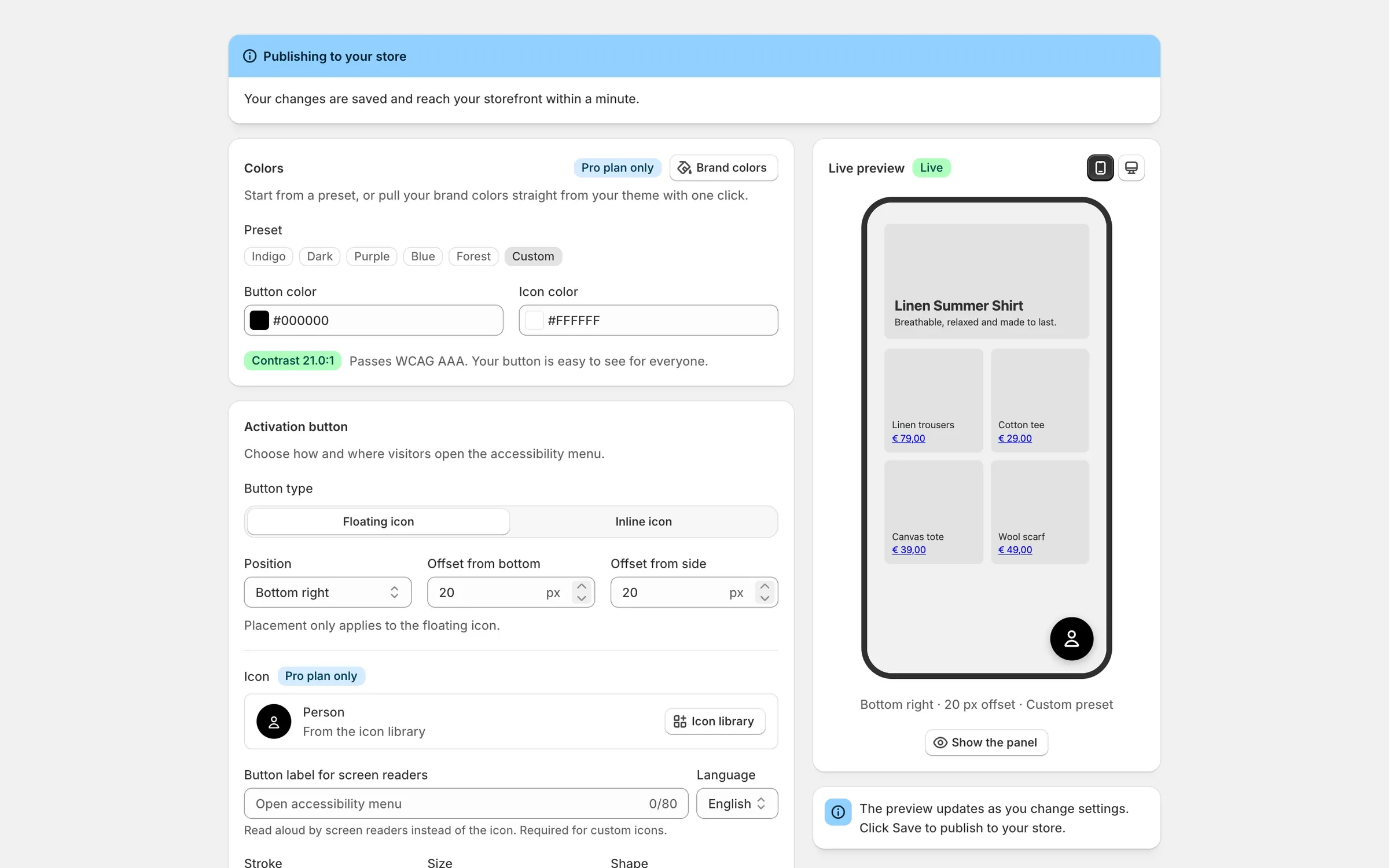
Not every store wants all nine profiles, and the launcher has to fit the brand rather than sit on top of it like a sticker — so its colour, shape, position and icon are the merchant’s, and the admin checks the contrast of what they choose.
How it works
Applying adjustments to someone else’s theme is the whole engineering problem: restyling a page you did not write, without knowing its class names, without breaking its layout, and without losing to its CSS specificity. Getting that wrong is how overlays earned their reputation.
The widget carries a test suite of its own rendered states — launcher, contrast levels, colour blindness filters, text magnifier, reading line, forced colours — because each adjustment is a visual contract whose regressions are otherwise invisible.