OnShoot
Studio product photography, generated in bulk from the photos a merchant already has.

- Built at
- On my own
- Role
- Founder and sole engineer
- Timeline
- 2025 to present
- Stack
- React, Hono, Cloudflare Workers, Drizzle, Shopify App Extensions, TanStack Query
- Live
- onshoot.app
A fashion brand with four hundred products needs four hundred photoshoots. At agency rates that is a year of budget, so most brands shoot a fraction of the catalogue and sell the rest on flat lays. OnShoot takes the flat lay and puts the garment on a model.

The problem
Generative models can put a product on a person. Doing it four hundred times, consistently, on a real catalogue is a different problem. Each generation fails in its own way — the garment warps, the print drifts, the lighting stops matching the rest of the shoot. No merchant will review four hundred images one at a time, and none will accept a batch where a tenth are wrong.
Constrained choices, not a prompt box
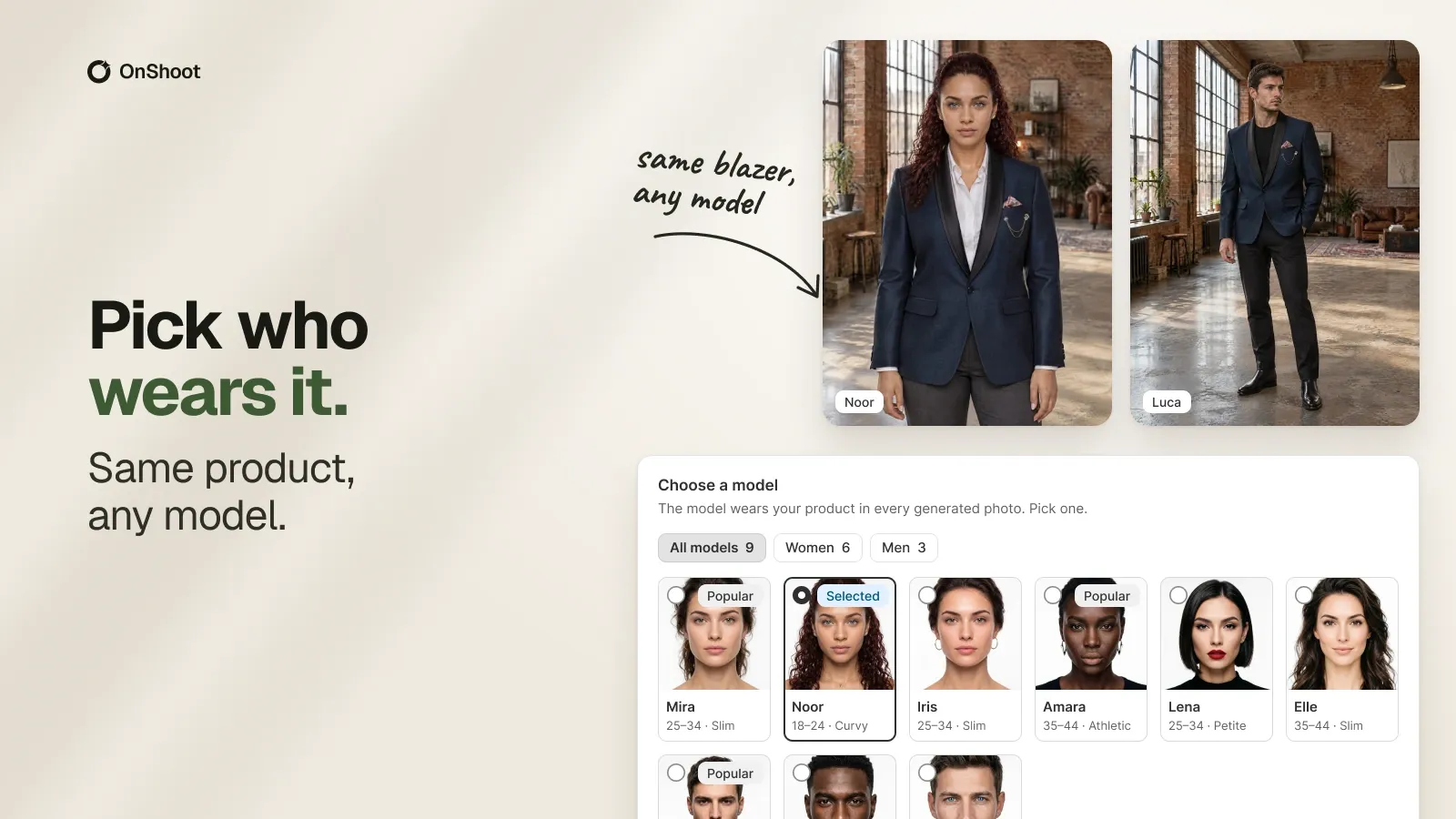
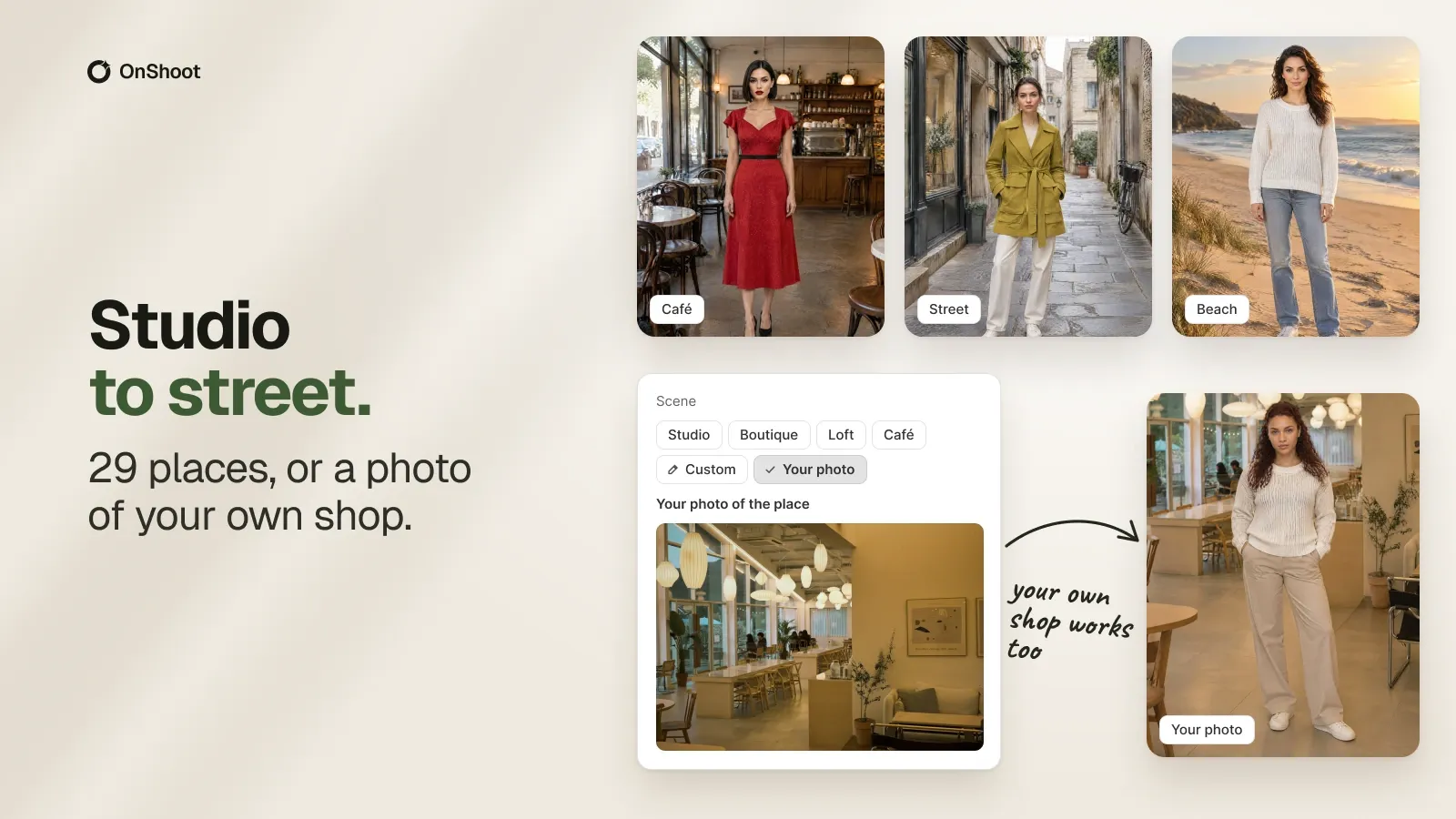
The merchant picks a model and a place from curated sets rather than describing one. That is the central product decision: named choices produce a coherent catalogue, and free text produces four hundred unrelated images. It also makes the output predictable enough to run in bulk.
Editing without regenerating
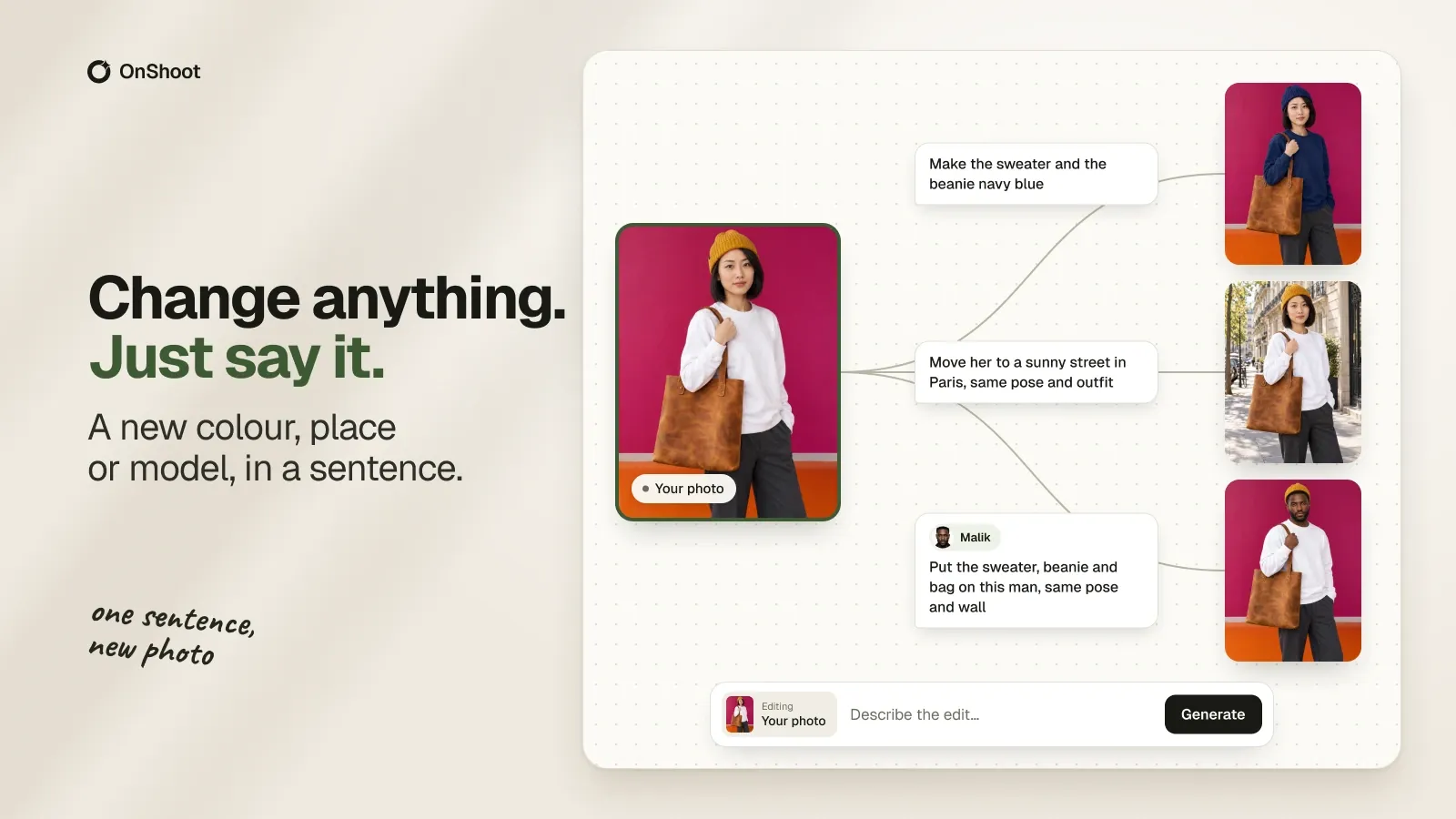
Once a shot exists, changing it is a sentence — a new colour, a different place, move her to a sunny street — applied on a canvas where each edit branches from the photo it came from. Without that, a near-miss means starting the generation over and paying for it again.
How it works
Generation is slow and fallible, so work is queued rather than requested — a merchant starts a photoshoot, closes the tab, and returns to results. The pipeline has to survive partial failure, because the right behaviour when thirty of four hundred generations fail is to deliver the other three hundred and seventy and retry the rest. The app lives inside the Shopify admin through App Bridge, so everything is scoped to a shop and finished media flows back onto products without the merchant handling files.
What it costs to run
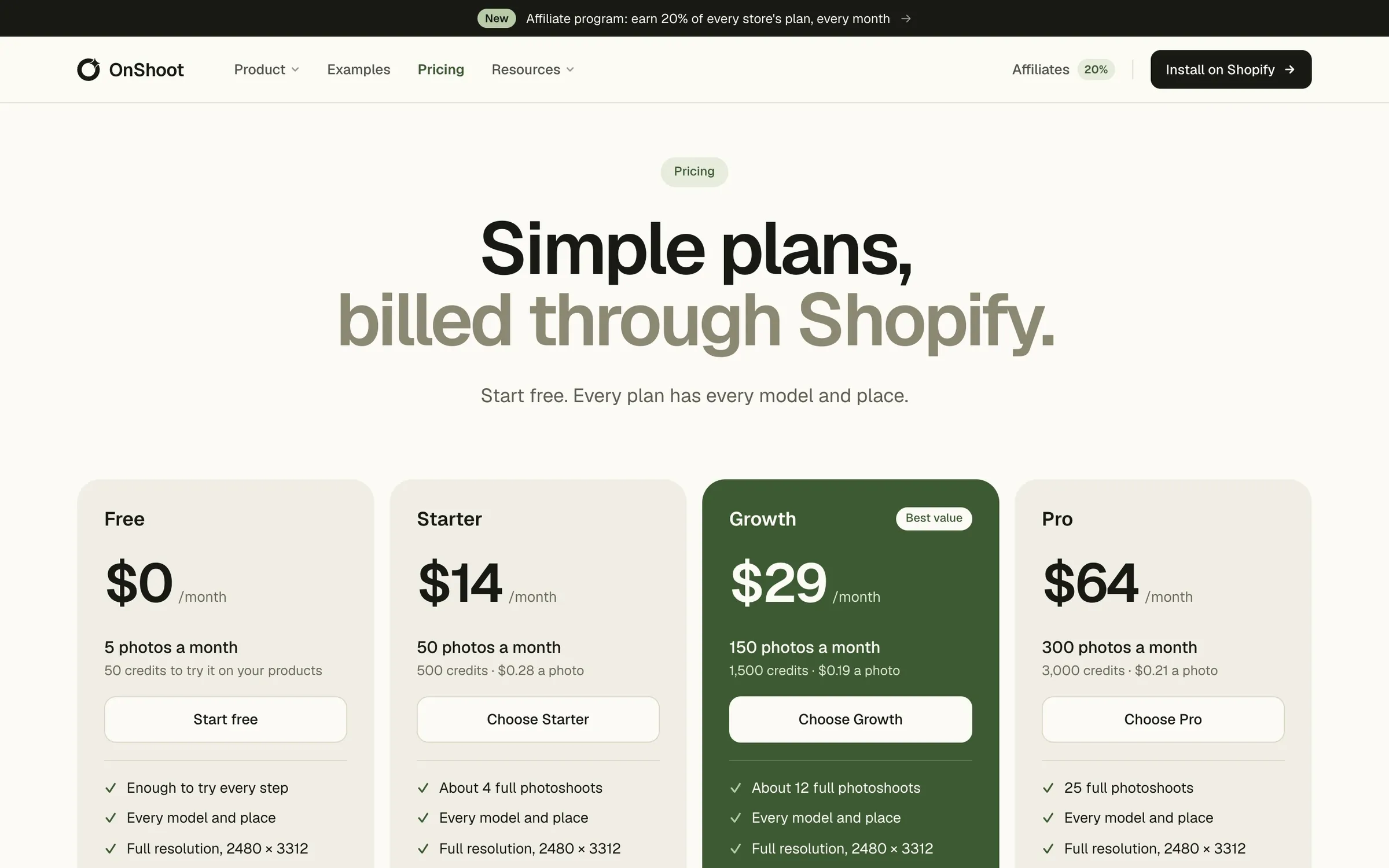
Generation costs real money per image, so plans are credits rather than seats, sold through Shopify App Pricing and billed on the store’s own Shopify invoice.